80GB HDD - Seagate Barracuda ST380011A IDE
Today, our guest is a storage device – a hard drive that was once the dream of many PC users, including me...
What 80 gigabytes on a HDD means – few people know these days...
Back then, a little over 20 years ago, I finally got a 20GB hard drive in my computer, and it was awesome! And if you read on the Internet that even a 40 GB HDD was outdated and irrelevant back then, don't believe it too much. In reality, 20 and 40 GB hard drives were the most popular... What do you expect? 3.5" floppy disk drives were still in full use back then.
Let's take a look at the exterior
So, this is a typical Seagate HDD: a cast aluminum hermetic block painted black. On top is a stainless steel cover, with another thick plate glued into it, and then a label.
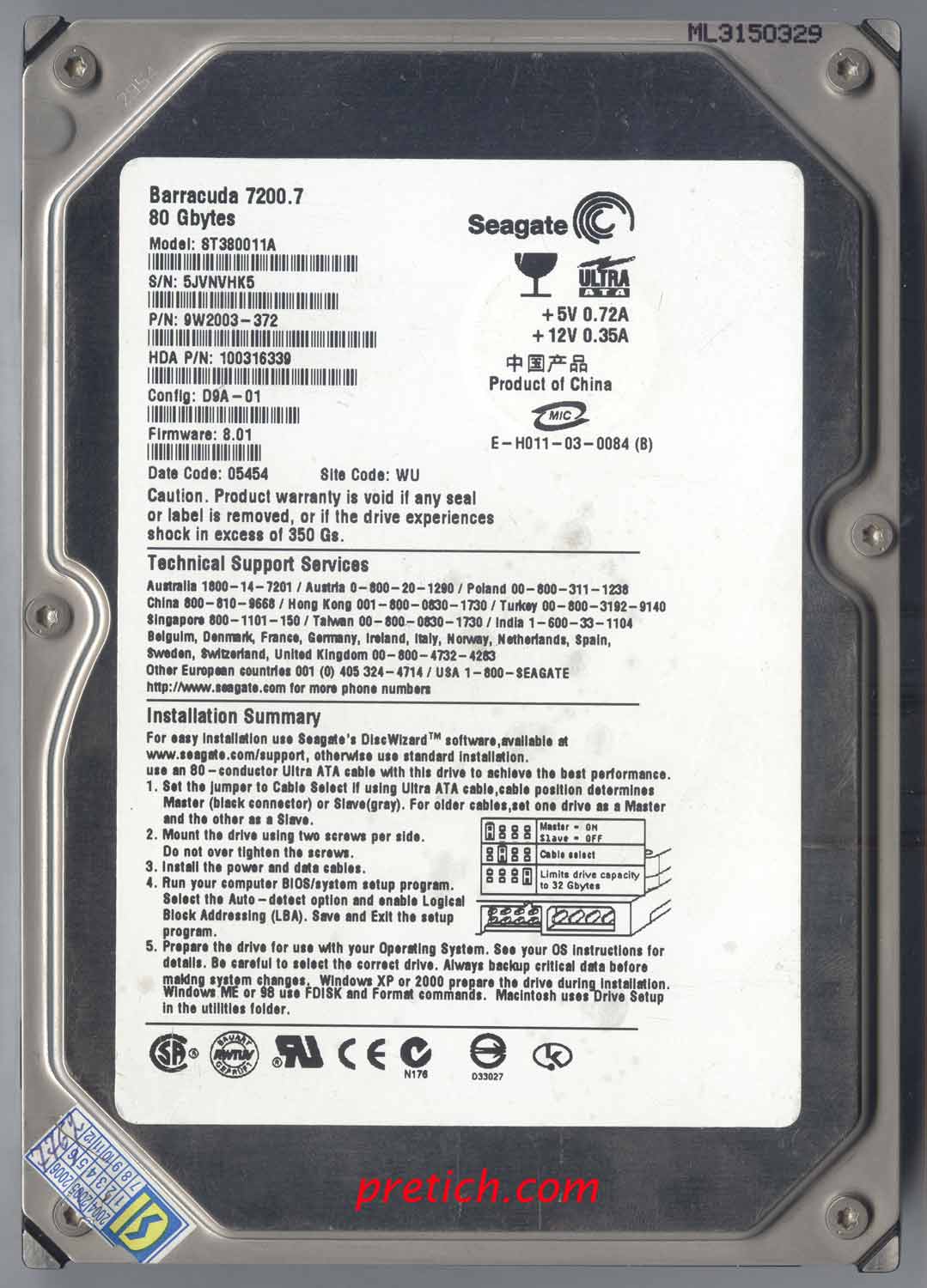
The label features the manufacturer's logo - Seagate, the product line name - Barracuda 7200.7, the capacity - 80 Gbytes, the model name - ST380011A, the firmware version - 8.01... Then there's the standard information for this type of device: power requirements, jumper layout (not every IT professional knows this these days), made in China...
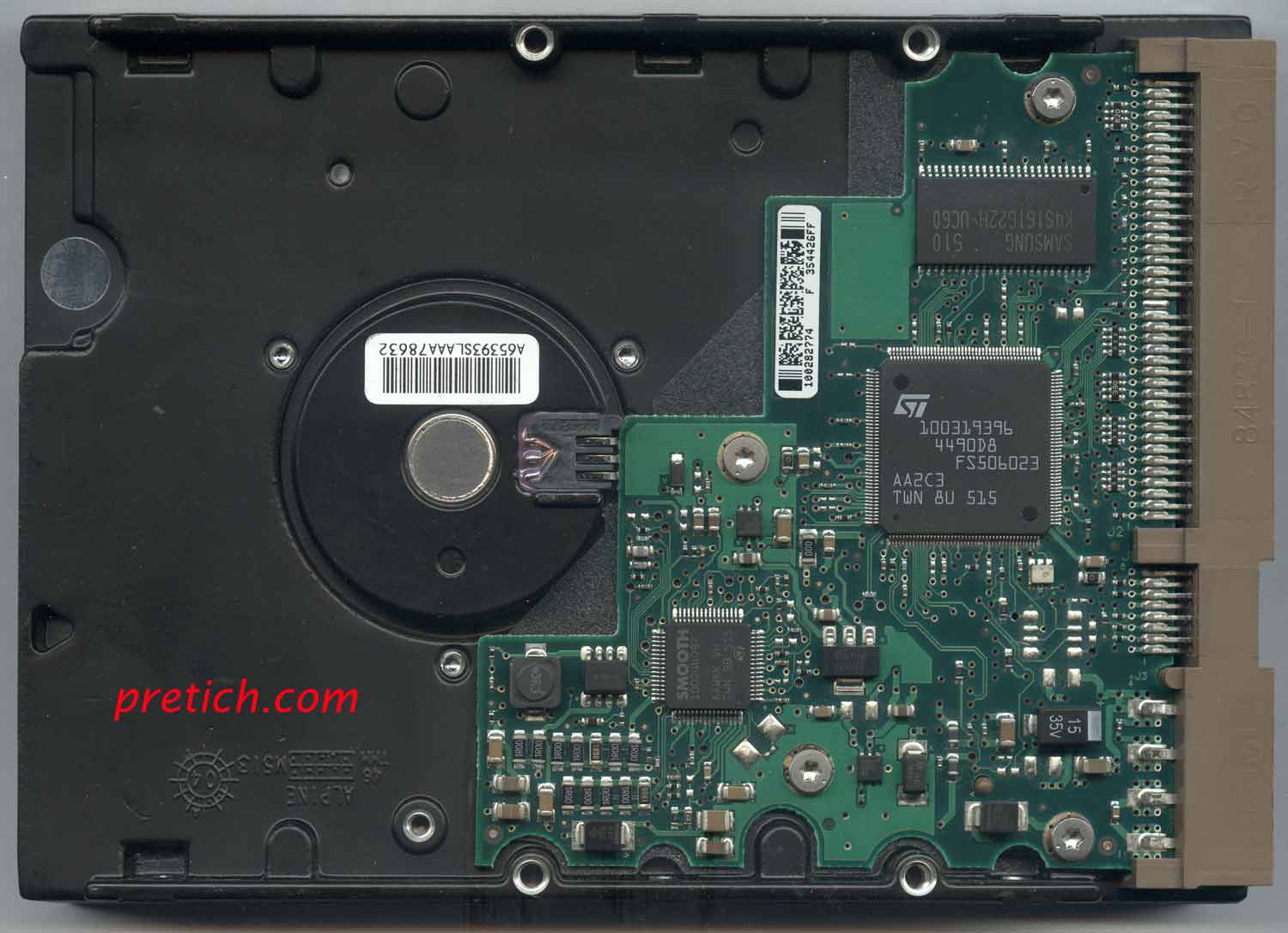
On the back of the Seagate Barracuda ST380011A hard drive, we see the controller board, and almost in the center is the lower end of the spindle. The engine, with a barcode sticker on it...
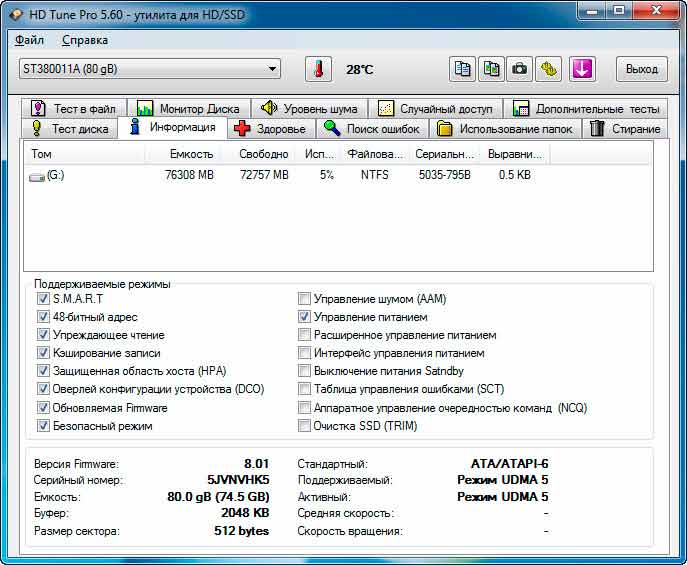
Launch HD Tune Pro and look at the drive's information...
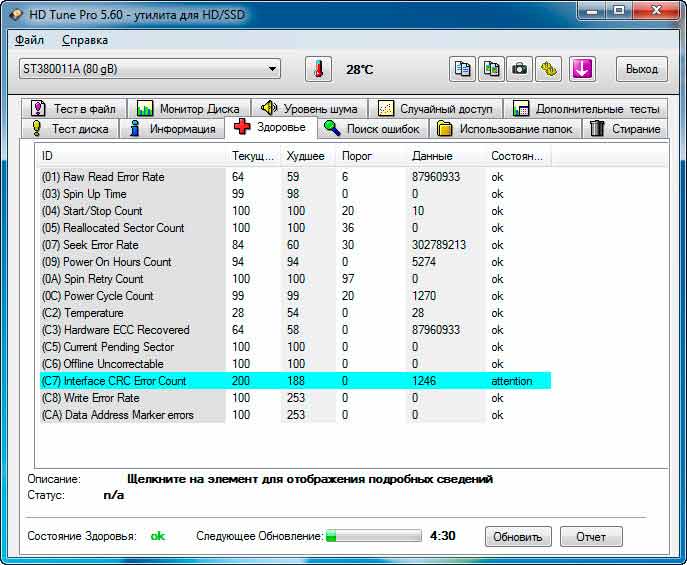
Now let's check its "health" - S.M.A.R.T. parameters - the drive has been running for many years... but all parameters are normal. They only ask you to pay attention to one parameter - Interface CRC Error Count, which indicates some kind of cable problem... nonsense. This parameter is highlighted even on brand-new HDDs.
Testing the ST380011A
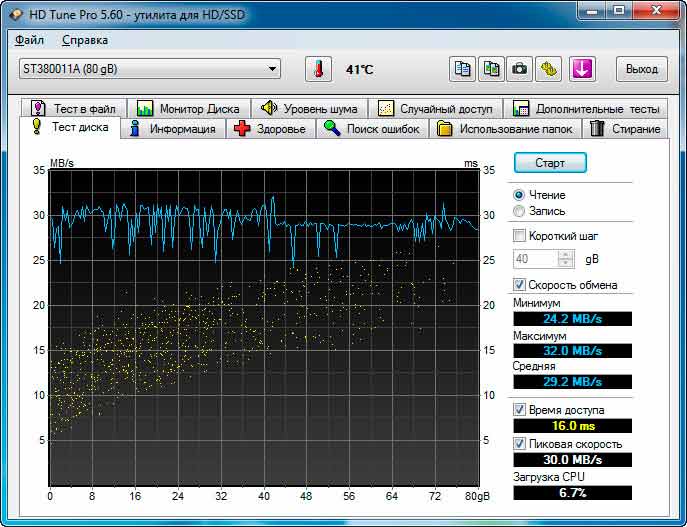
Read speed... Write speed... Everything is as usual...
After all this, the drive temperature rose from 28 to 41 degrees Celsius, with 60 degrees Celsius being the maximum...
HDD Electronics Board
We remove this controller by unscrewing four screws with hexagonal heads...
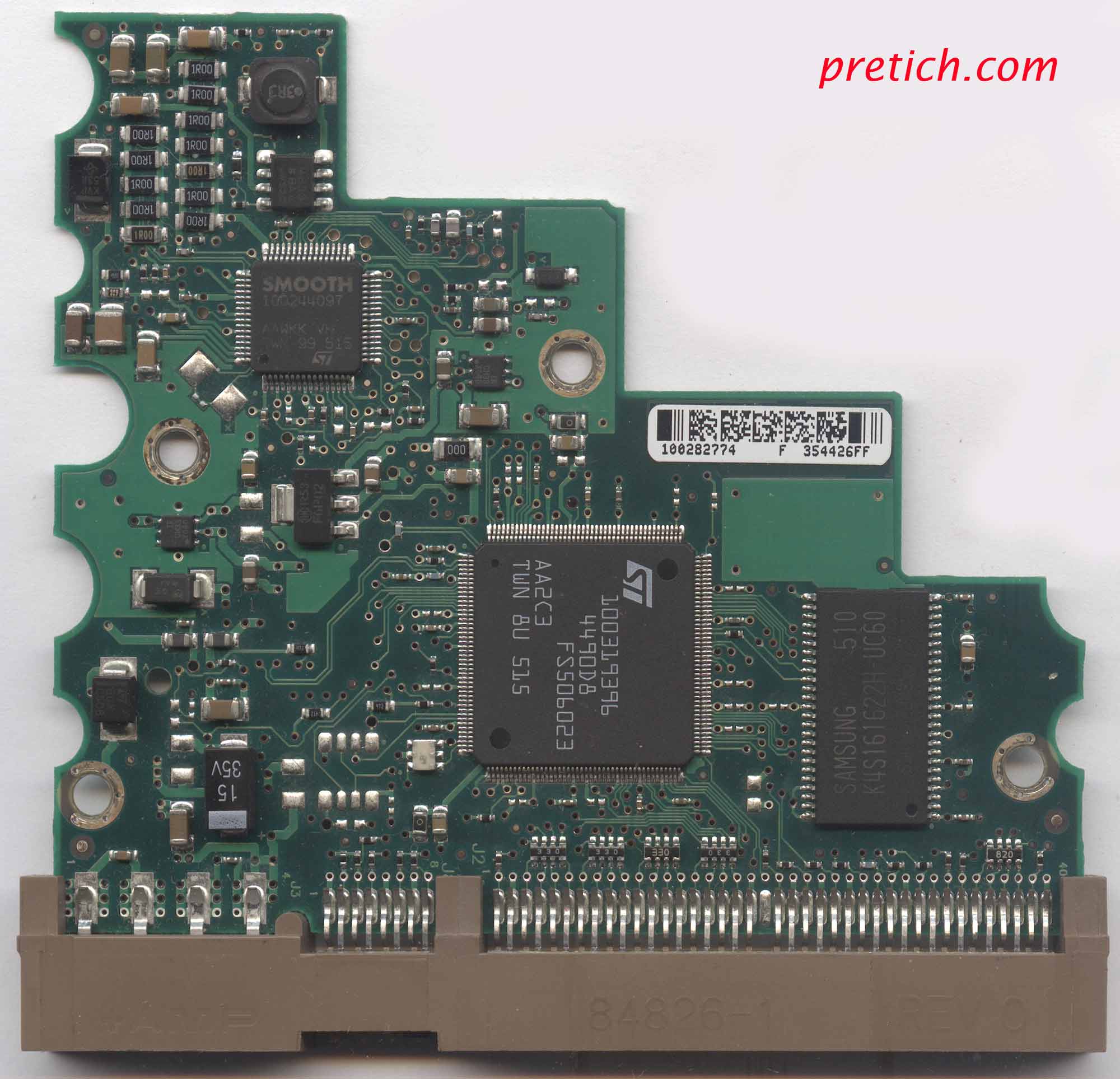
On one side of the board, we see the largest chip, labeled 100319396 4490D8 FS506023 AA2C3 and the STMicroelectronics logo. Next to it is a RAM chip, which acts as a data buffer; here it's 2 MB. The RAM is marked Samsung K4S161622H-UC60. Next, we see the SMOOTH 100244097 chip—this is the spindle motor driver (controller), which also handles other duties, such as positioning the read/write heads. Next, there's an 833 chip with eight pins—this is the LM833N dual-channel operational amplifier.
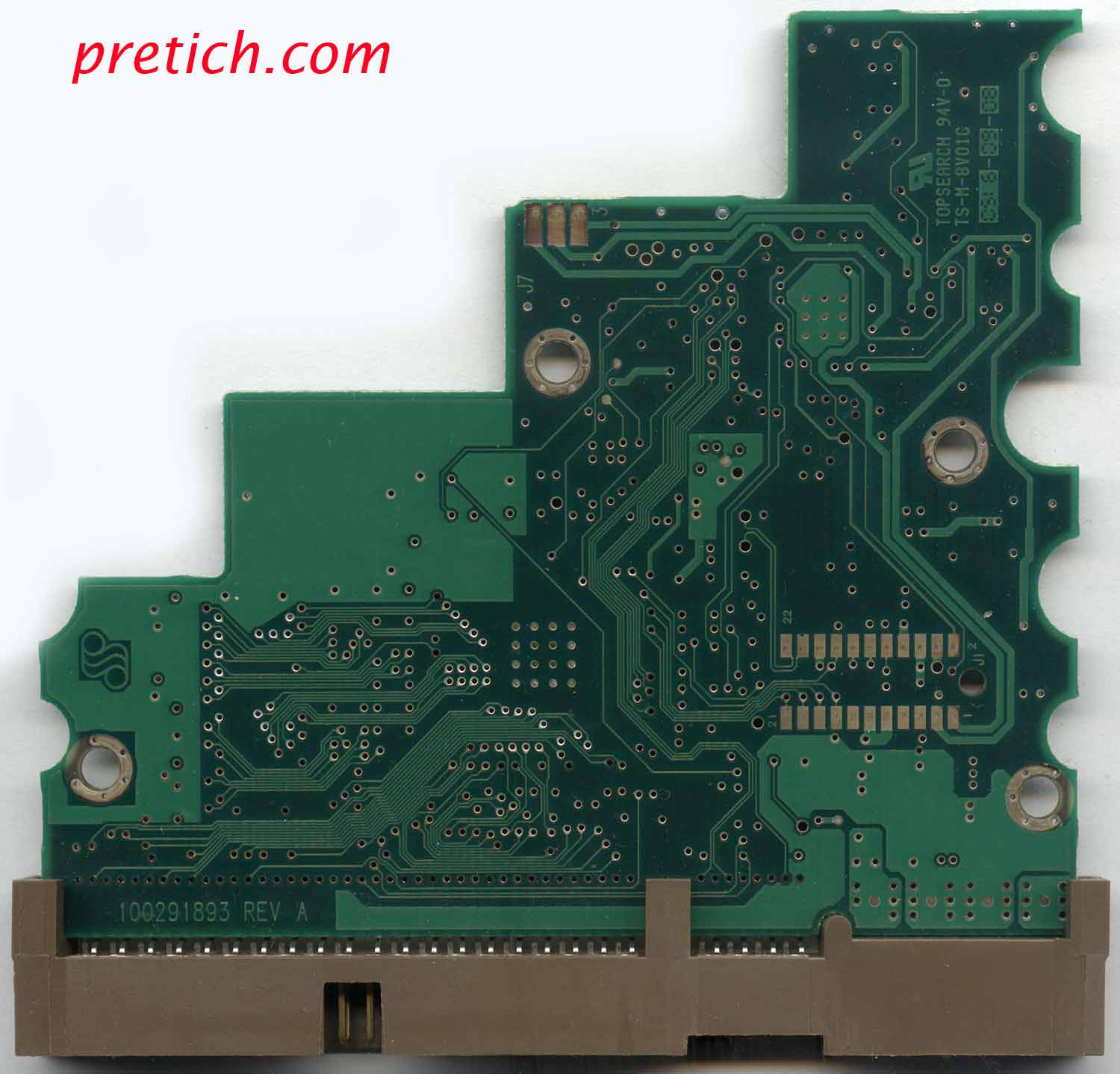
The back side of the board has no components. Just tracks. There's a marking: 100291893 REV A. And then there are two sets of contact pads: one for the spindle motor, the other for the hermetic block.
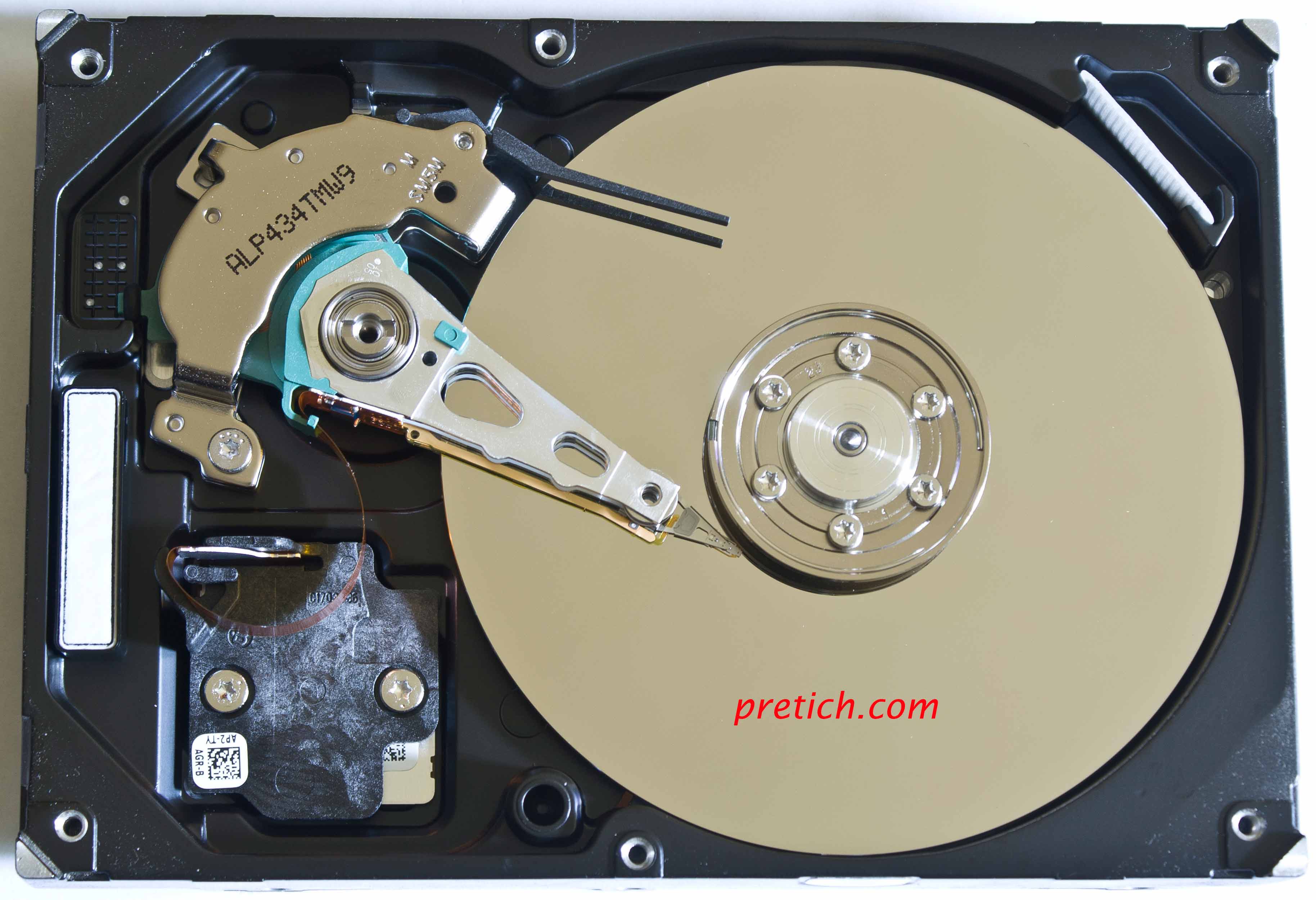
We unscrew the six screws on the top cover and remove it—we look inside. A typical picture... One plate, two heads—top and bottom. They are moved by a solenoid motor... parking lot. The heads aren't equipped in any way... there's a "pocket" - a dust collector...
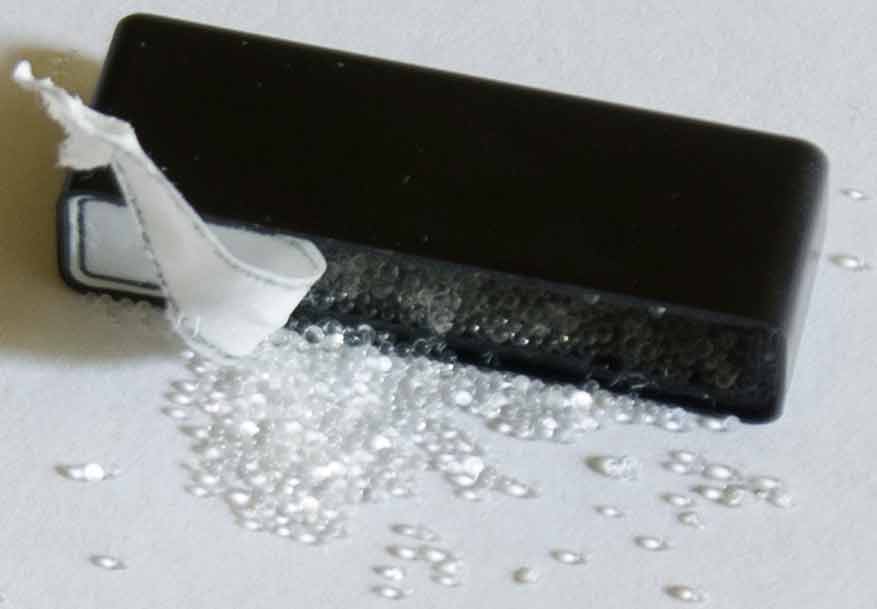
And this block has silica gel in it. It absorbs moisture. Where does it come from in a sealed hard drive block? Well, it's not that sealed. There's a pressure equalization hole, for example...
Conclusion
This concludes the disassembly of the Seagate Barracuda ST380011A hard drive. The aluminum parts went to a non-ferrous metal recycling center, everything else went to the trash. There are so few precious metals here that no one wants to mess with them.
- Related article: Seagate Medalist 4312 ST34312A 4.3GB
Mikhail Dmitrienko
Especially for pretich.com |

